Stop drawing finger joints manually
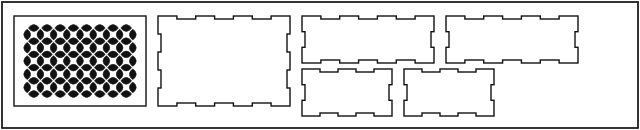
Draw the base to your size, then extrude to your desired height. Box CAD calculates the number and size of your finger joints automatically, allows for kerf, nests the parts on your sheet and writes the LightBurn file.
A laser cut box generator and CAD program for Mac and Windows, in development. Leave your email to hear when the beta opens.
What it does for you
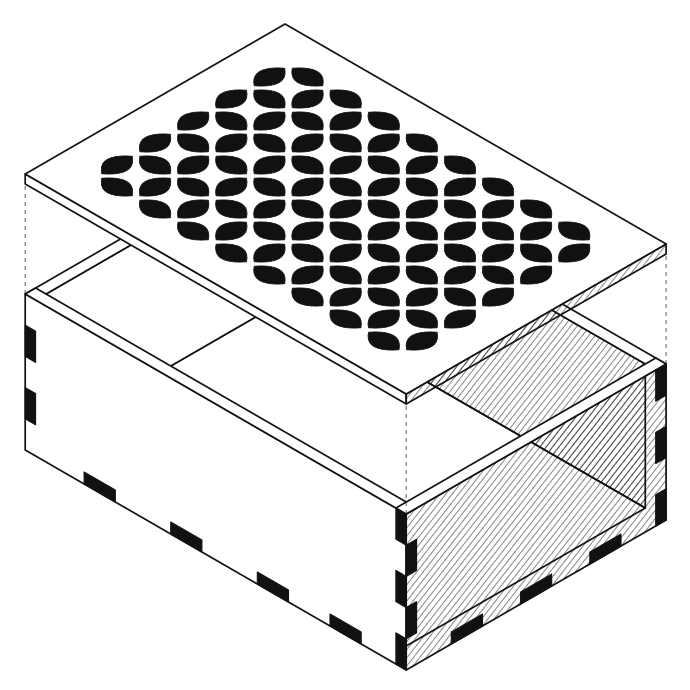
You design the box. Box CAD does the tedious work: sizing the joints, bending the corners, checking your patterns and laying out the parts for cutting.
Joints
Enter the exact thickness of your material. Every finger, tab and slot is drawn to that number.
Hinges
Round a corner and the wall becomes one strip that bends through a living hinge.
Patterns
Fill a lid with a pattern or your own SVG. Loose pieces and thin bars are flagged.
Sizes
Change the width, depth or height at any time. The dividers, lid and joints resize to match.
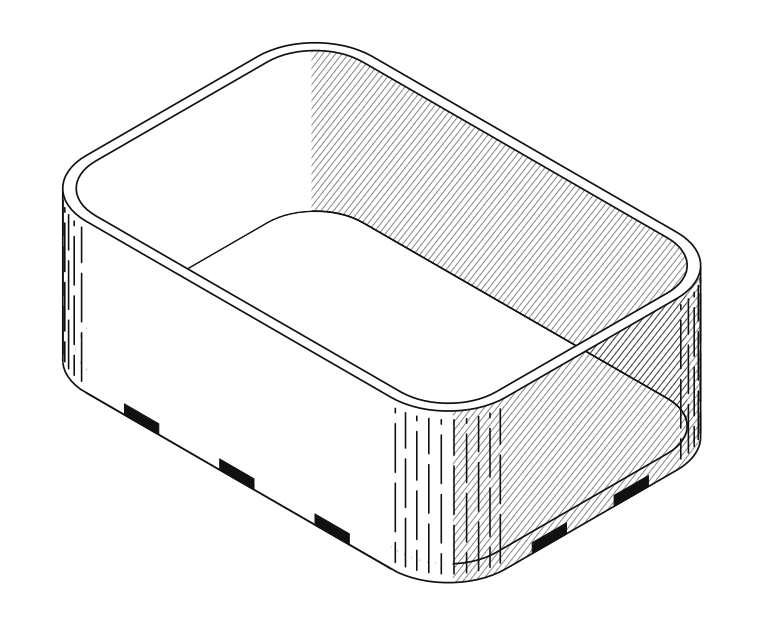
Round a corner and the wood bends
Pick a corner and set a radius. The walls become one strip with a living hinge at each bend, and the base is rounded to match. You are warned if a bend is too tight for the material.
From model to cut file
Every part is flattened, adjusted for kerf and nested on your sheet size while you design. When you are done, export a LightBurn file with the cut, score and engrave layers already assigned. You can also export SVG or DXF.
The workspace
A full 3D view with tools that float over the model. Drag panels out, type exact sizes, and pull the box apart to see how it goes together.
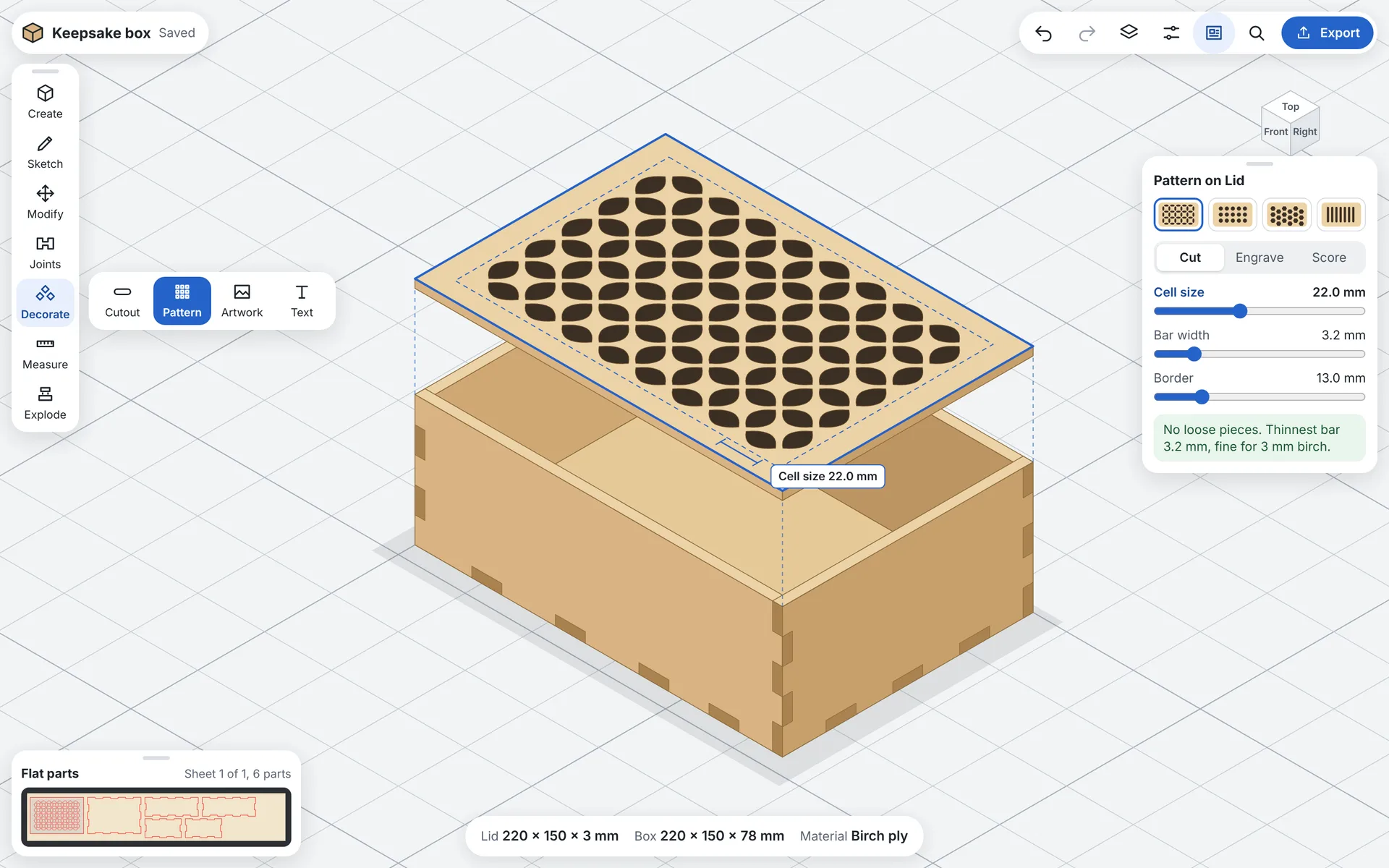
The design for the app. It is being built to match.
Price
Box CAD
$69
A one-time purchase that includes one year of free updates. The app is yours to keep forever. To get updates after the first year, renew for $69.
Box CAD with LayerCut
$99
Box CAD designs a box from scratch. LayerCut turns a 3D model you already have into laser-cut parts.
Planned pricing. Box CAD is not on sale yet.
Questions
Is Box CAD a laser cut box generator?
It does what a box generator does, and more. A generator gives you a box from a form. In Box CAD you draw the box yourself in 3D, and it adds the finger joints, allows for kerf and lays the parts out for cutting.
Does it draw the finger joints for me?
Yes. Wherever two panels meet, Box CAD adds the joint and sizes it to the thickness of your material. You can change any joint afterward.
Can I make boxes with lids, dividers and rounded corners?
Yes. You can add dividers and a lid to any box, and round a corner so the wall bends through a living hinge.
Which lasers and software does it work with?
Any laser that can run a LightBurn, SVG or DXF file. Box CAD writes LightBurn files with the cut, score and engrave layers already assigned.
When can I try it, and what will it cost?
Box CAD is in development for Mac and Windows. Join the beta list to hear when it is ready. The planned price is $69, a one-time purchase with a year of updates.
How is it different from LayerCut?
LayerCut turns a 3D model you already have into laser-cut parts. Box CAD is for designing a box from scratch. They are made by the same person.
Join the beta
Leave your email and hear when Box CAD is ready to try.
Your email is used only to tell you about the Box CAD beta. Privacy